> ## Documentation Index
> Fetch the complete documentation index at: https://docs.zuddl.com/llms.txt
> Use this file to discover all available pages before exploring further.
# Speaker Management
> Learn how to manage speakers in a Zuddl Studio
**Supported event types**\
Virtual ✅ | In-person ✅ | Webinar ✅ | Field event ✅ | Third-party ✅
Zuddl Studio streamlines speaker coordination by offering tools to manage invitations, roles, permissions, session timings, and backstage communication. These features ensure that speakers are well-prepared, that the event flows smoothly, and that both speakers and organizers can manage logistics efficiently.
***
### Inviting speakers to Zuddl Studio
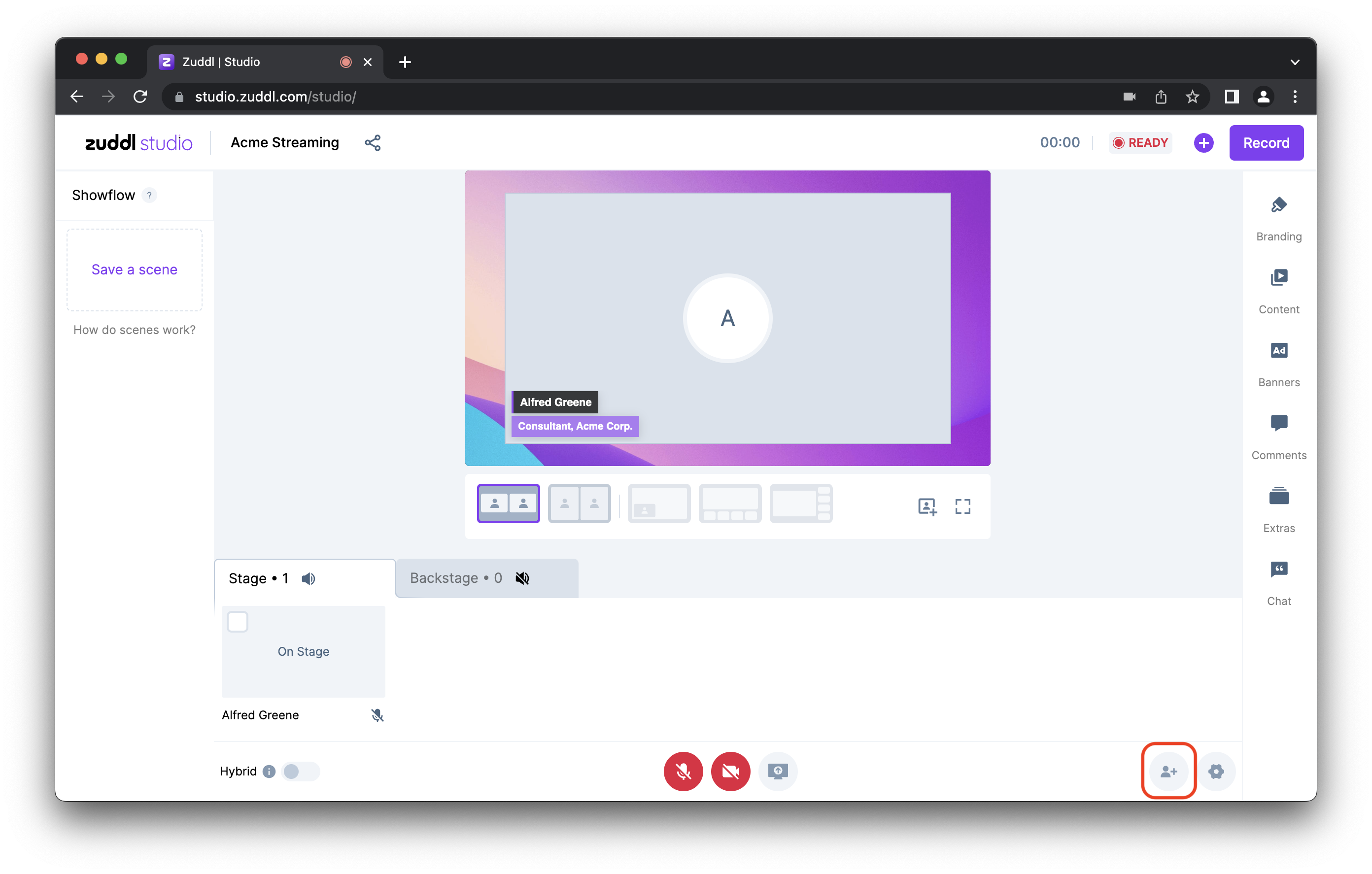
Organizers can **invite speakers** via email, providing them with a link to join Zuddl Studio. This streamlined process ensures that speakers have easy access to the event platform without delays, helping them focus on preparation rather than administrative tasks.
 ***
### Speaker roles and permissions
**Speaker roles and permissions** allow organizers to control the level of access each speaker has, ensuring they only interact with relevant content. For example, a speaker may be given full access to their session, while a panelist may only have permission to participate during their speaking time.
***
### Backstage chat for speaker communication
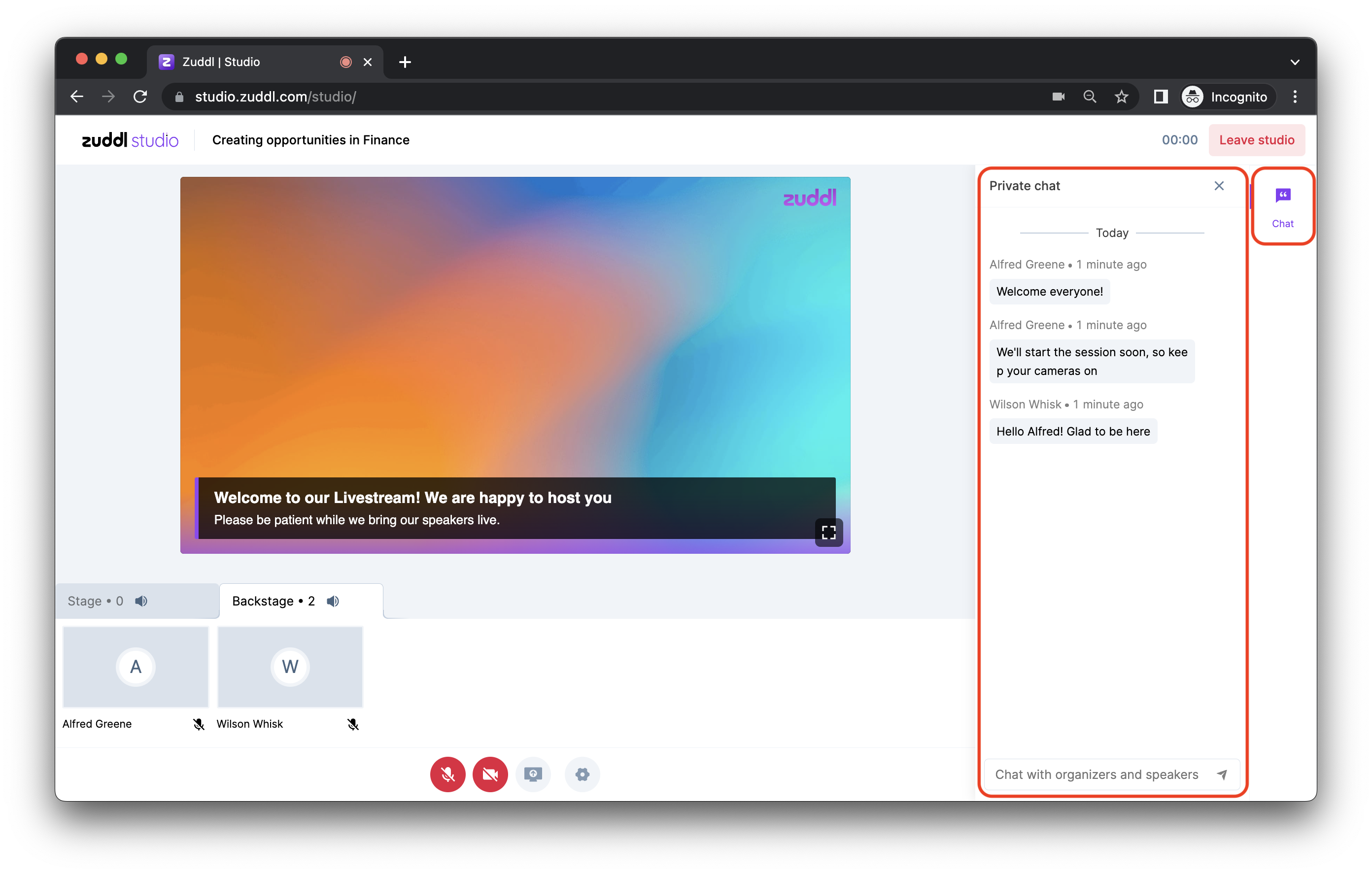
The **Backstage Chat** feature enables real-time communication between organizers and speakers. This private channel allows for seamless coordination, whether providing instructions or handling last-minute adjustments, without interrupting the live session.
***
### Speaker roles and permissions
**Speaker roles and permissions** allow organizers to control the level of access each speaker has, ensuring they only interact with relevant content. For example, a speaker may be given full access to their session, while a panelist may only have permission to participate during their speaking time.
***
### Backstage chat for speaker communication
The **Backstage Chat** feature enables real-time communication between organizers and speakers. This private channel allows for seamless coordination, whether providing instructions or handling last-minute adjustments, without interrupting the live session.
 ***
### Managing speaker sessions and timing
**Session management** in Zuddl Studio helps organizers set session times, allocate speaking slots, and ensure smooth transitions. This feature keeps the event on track by notifying speakers when it’s time to start or wrap up their session, preventing delays.
***
### Rehearsal and speaker setup
**Dry Run Mode** lets speakers and organizers rehearse and test all elements before going live. It simulates a live session, allowing for checks on audio, video, and content sharing. This helps identify and fix issues before the actual session begins, ensuring a smooth, problem-free event. For example, speakers can practice their presentation while ensuring all technical aspects are working correctly.
***
***
### Managing speaker sessions and timing
**Session management** in Zuddl Studio helps organizers set session times, allocate speaking slots, and ensure smooth transitions. This feature keeps the event on track by notifying speakers when it’s time to start or wrap up their session, preventing delays.
***
### Rehearsal and speaker setup
**Dry Run Mode** lets speakers and organizers rehearse and test all elements before going live. It simulates a live session, allowing for checks on audio, video, and content sharing. This helps identify and fix issues before the actual session begins, ensuring a smooth, problem-free event. For example, speakers can practice their presentation while ensuring all technical aspects are working correctly.
***